Download Data
Depending on the data you are interested in, you will need to navigate to the appropriate location.
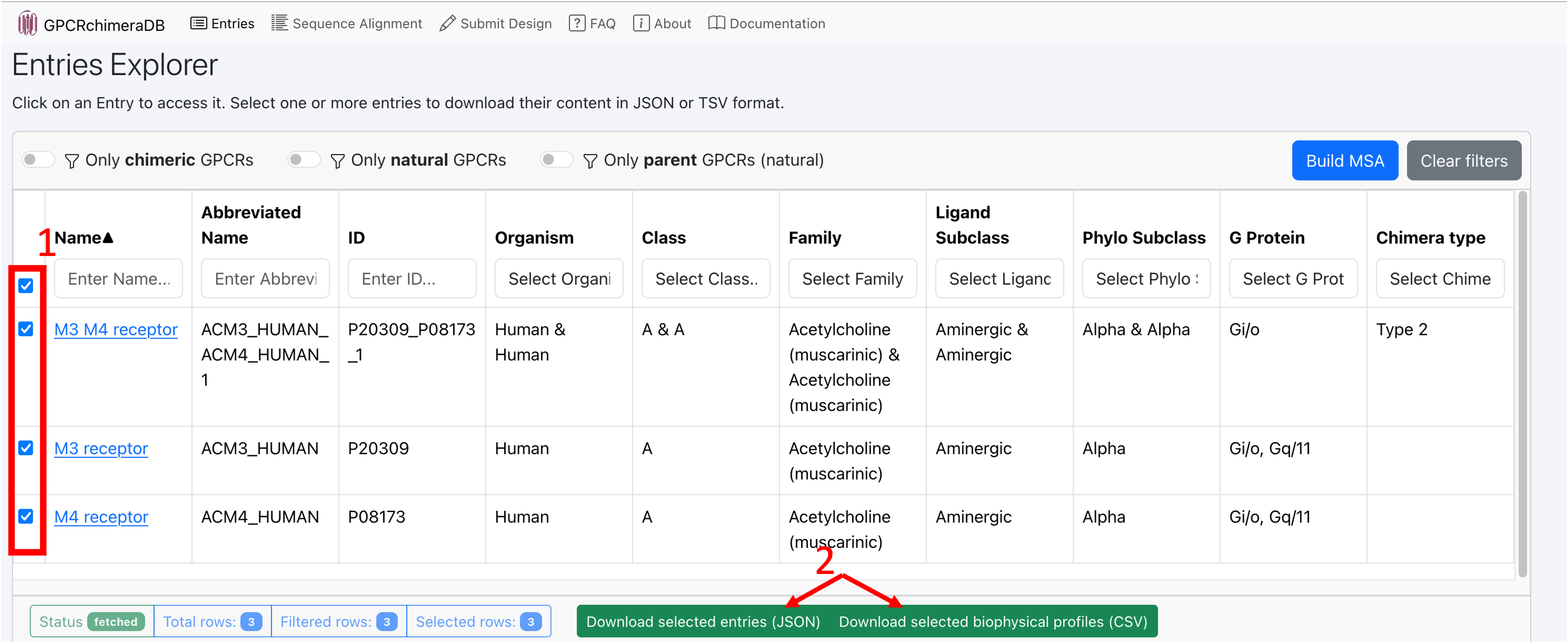
On the entries page:
- You can select your entry/entries of interest and download:
Their entire description (sequence, structural and biophysical level) in JSON format (1 file per selected entry).
Their biophysical profile in CSV format (1 file per selected entry).
On the entry page of a GPCR of interest:
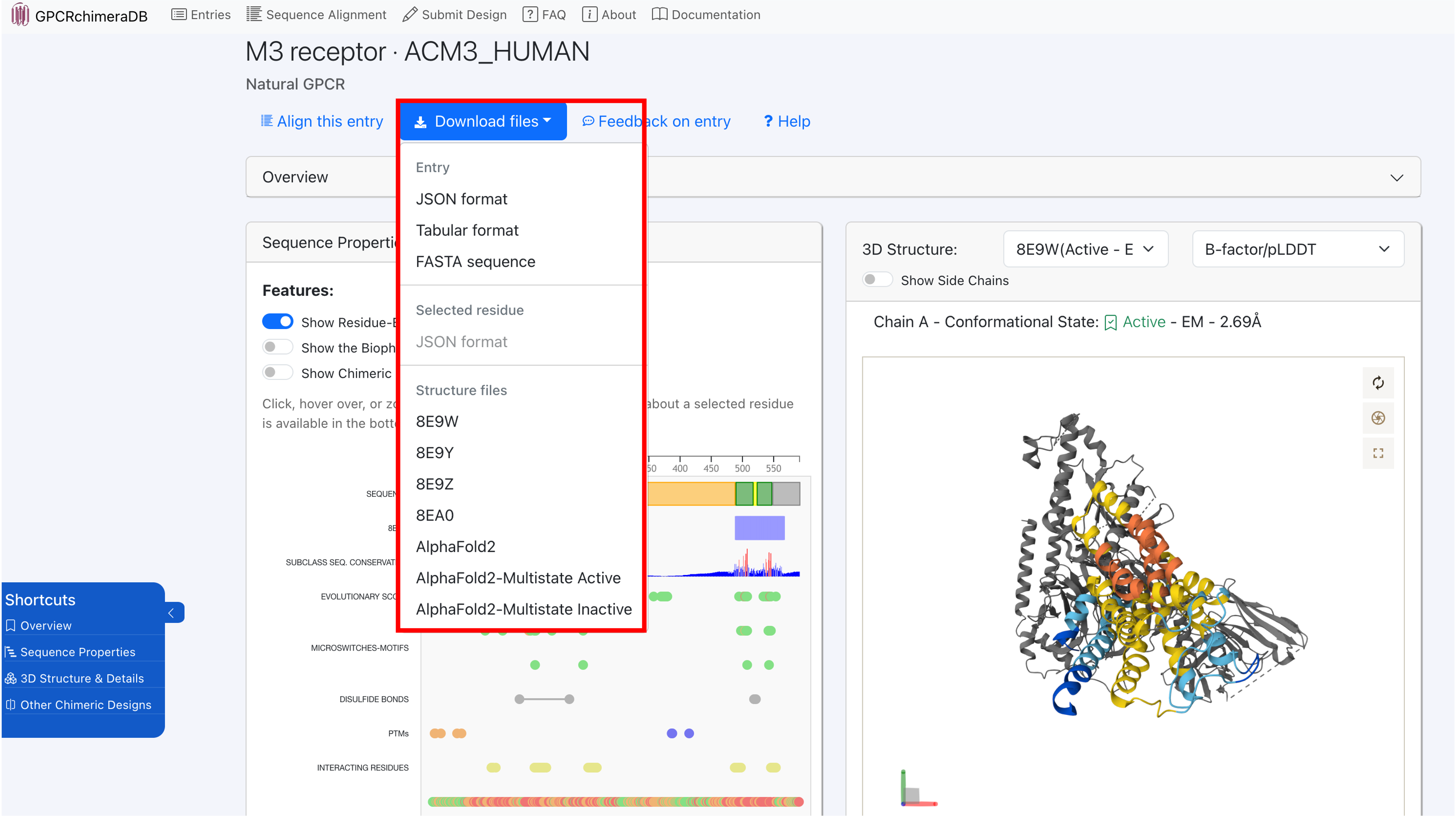
- At the top of the entry page of a GPCR of interest (banner), you can download:
Its sequence in FASTA format.
Its 3D structures or models in PDB format.
Its biophysical profile in CSV format.
Its entire description (sequence, structural and biophysical level) in JSON format.
The entire description (sequence, structural and biophysical level) of a residue of interest in JSON format by selecting that residue in the Sequence Properties section.
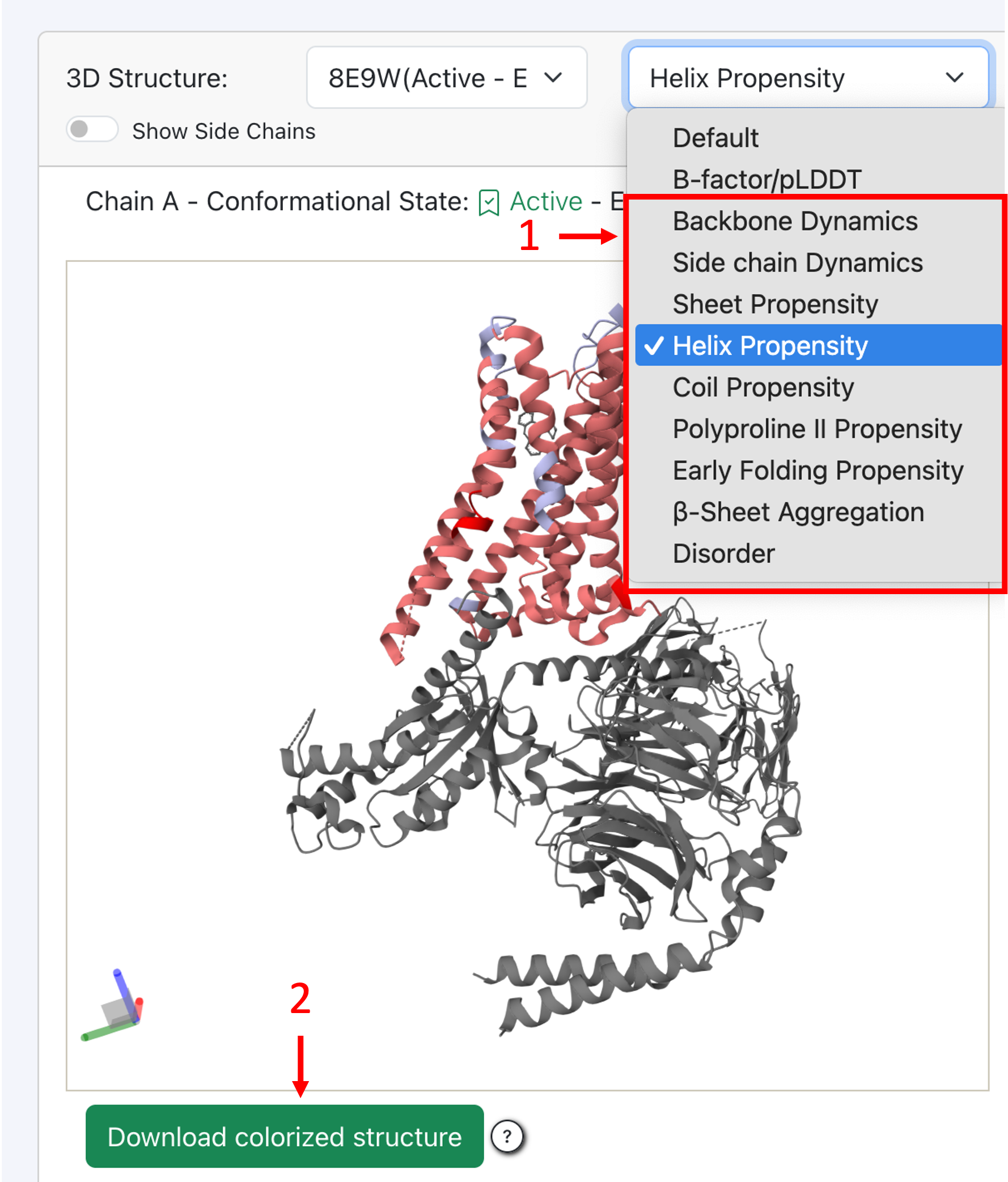
- Colorized 3D structure or model: In the 3D viewer, you can colorize your 3D structure of interest based on its biophysical features or, for chimeric entries, based on its cutting points or difference in biophysical behavior compared to its parents.
Once your structure is colorized, you can download it with as Bfactor values, the values of the selected feature to colorize your structure. Open your favorite structure viewer (Pymol or Mol* for example) and load your downloaded structure. Colorize it as you would colorize a 3D structure based on its Bfactor or pLDDT. You can now continue to analyze your colorized 3D structure on your local machine!
On the GPCRchimeraDB Zenodo:
Download all info of all entries in JSON format (1 file per entry) on Zenodo. On Zenodo you can also download the Master Alignment behind the Sequence Alignment tool.
GPCRchimeraDB GitHub:
Access the code on GitHub used to retrieve all the information available on GPCRchimeraDB to describe the entries.